Included With Every Subscription
Your Creative Team Comes With Its Own Operating System.
RiseWorks isn't just a production team you hire. It's a production team backed by a purpose-built platform that manages your projects, streamlines review, and turns every video into a discovery engine — from the moment you book a session to the moment your board sees the impact.
The Story* Suite
Four Products. One Subscription. Zero Busywork.
Plan it, produce it, format it, share it, cultivate from it. The full lifecycle of nonprofit storytelling.
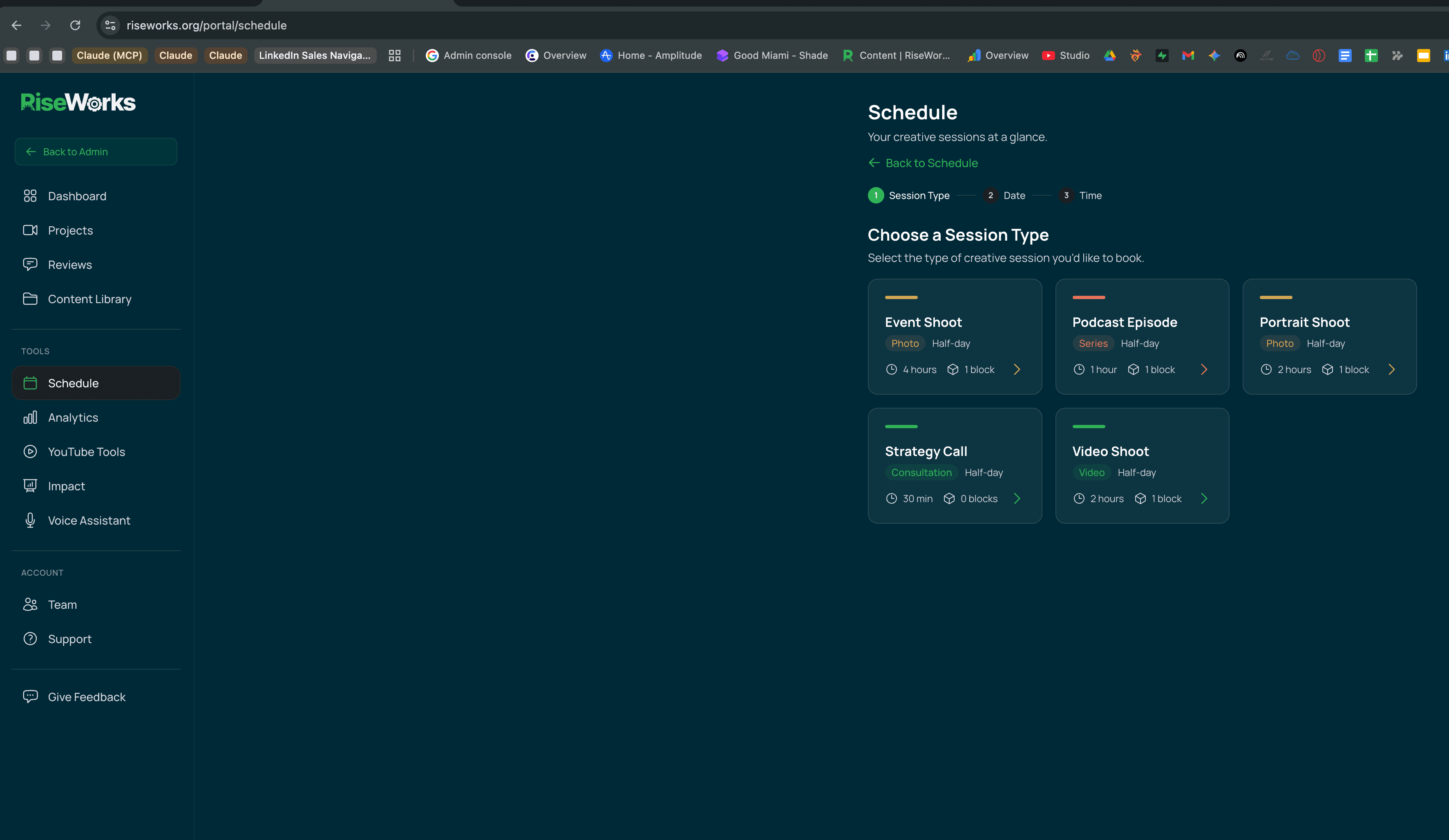
Book Sessions on Your Schedule
Your dashboard includes a built-in scheduling system with dedicated session types — video shoots, portrait sessions, podcast episodes, event coverage, and strategy calls. Select what you need, pick a time, and your Creative Block allocation updates automatically.
Need to schedule an interview subject or guest speaker? Generate a self-service booking link they can use directly — no back-and-forth email chains.
How it works
Session types include Video Shoot (2hr), Event Shoot (4hr), Podcast Episode (1hr), Portrait Shoot (2hr), and Strategy Call (30min).
Watch Your Projects Move Through the Pipeline
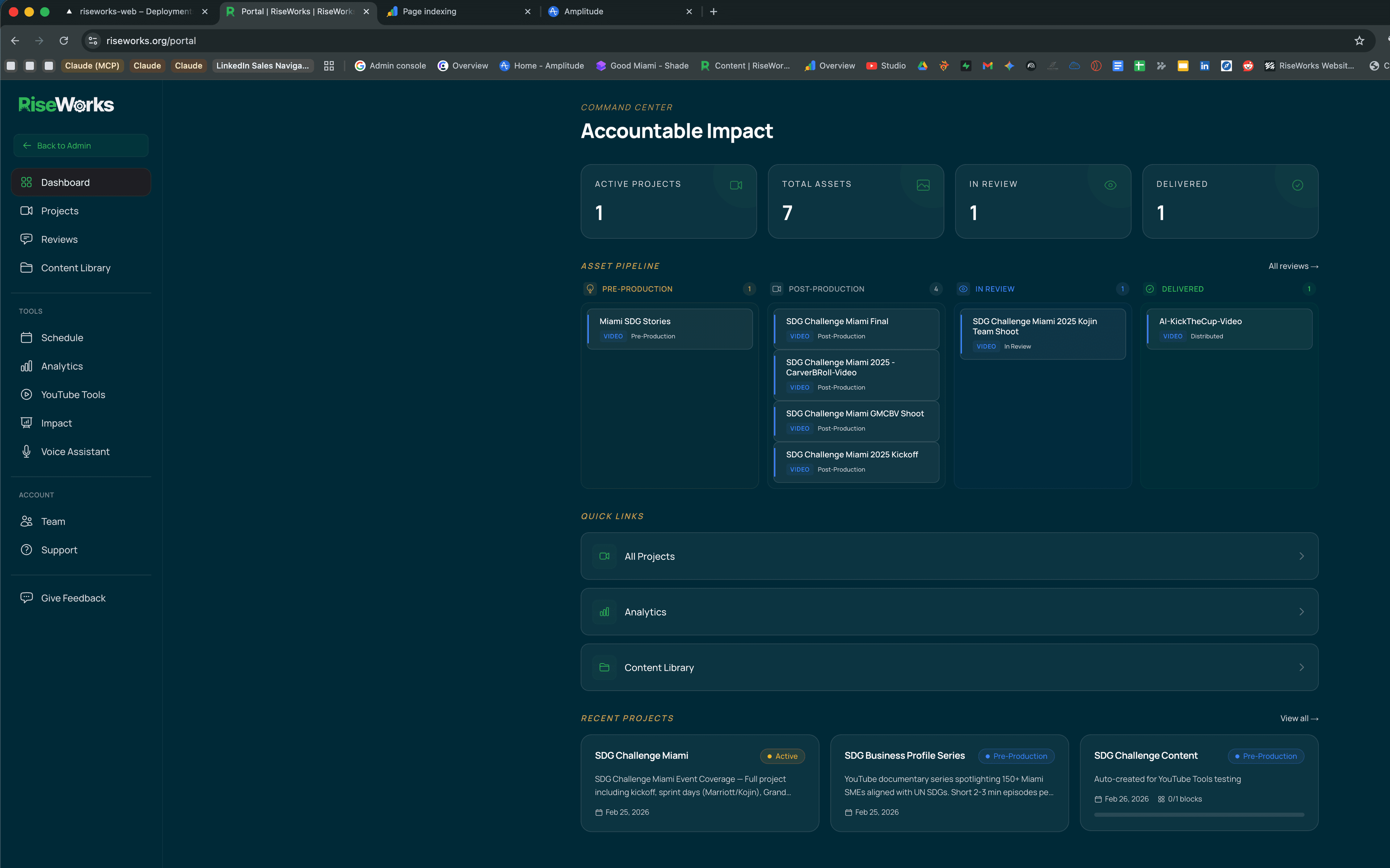
Every project flows through a visual production pipeline — from pre-production through post-production, review, and delivery. Your Command Center shows active projects, assets in progress, and what’s ready for your review at a glance.
No status update meetings. No “where are we on that video?” emails. Open your dashboard and see exactly where everything stands. Behind the scenes, AI-powered semantic matching automatically links your media assets to the right projects — no manual file management.
How it works
Kanban-style pipeline: Pre-Production → Post-Production → In Review → Delivered
Review Edits — And Make Every Round Count
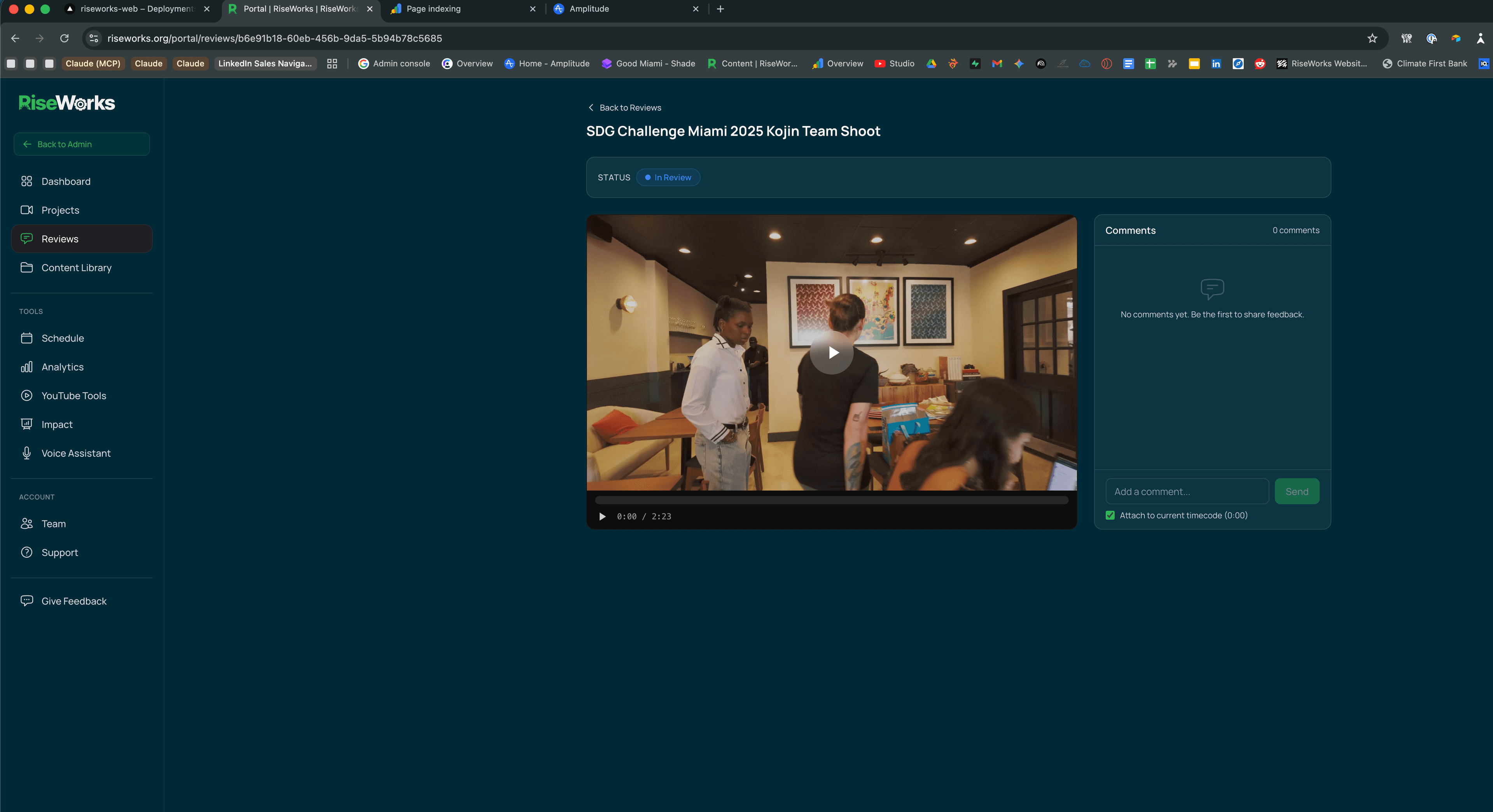
When a cut is ready, you review it directly in your dashboard. Drop comments at specific timestamps. Flag moments that need adjustment. Approve finals. Your feedback goes straight to your production team — no downloads, no file transfers, no miscommunication about “that part around the two-minute mark.”
But here’s what’s different: your feedback doesn’t disappear after the revision. Every comment is classified by our AI — what it’s about, what kind of change you’re requesting, how critical it is. Fix requests become tracked change orders with a resolution workflow. And once the video goes live, your editorial decisions get correlated with actual YouTube performance data — so over time, the system learns which kinds of feedback lead to better-performing content.
How it works
Timecoded commenting with AI classification. Every comment is categorized (hook, pacing, story, brand, CTA, captions) and typed (fix, question, idea, approval). Fix requests are tracked to resolution — nothing falls through the cracks.
Every Video Leaves With a YouTube Strategy
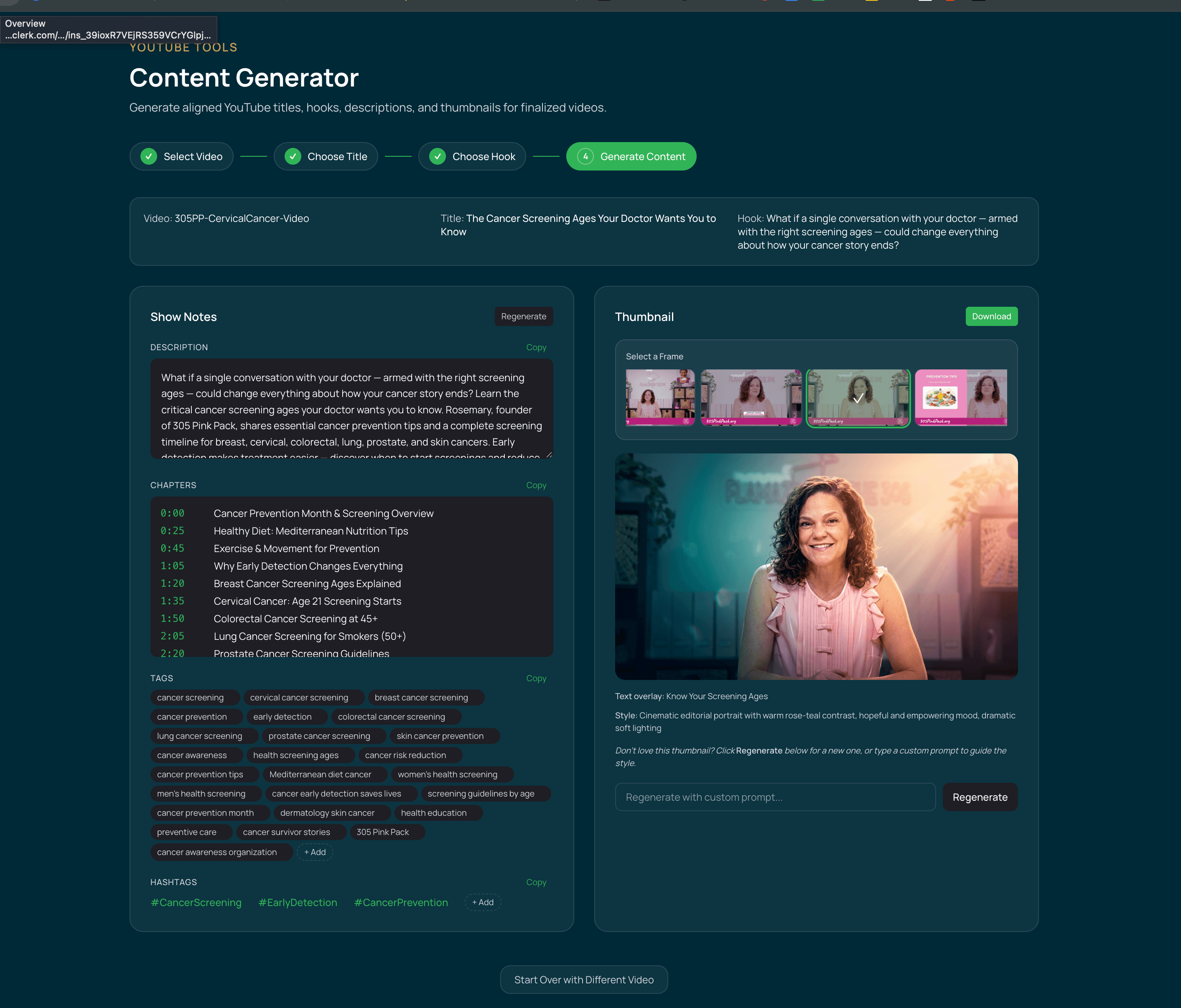
Once your video is approved, our AI content engine generates optimized titles, descriptions with chapters and timestamps, tags, hashtags, and show notes — all tailored to your content and audience.
It doesn’t stop at metadata. The system generates thumbnail options from your footage and lets you customize the look with style prompting. You’re not just getting a finished video. You’re getting a video packaged for discovery.
How it works
AI-generated content package: titles (categorized by approach — how-to, curiosity, story, challenge), hooks (surprising, emotional, educational, inspirational), full descriptions with chapters, tags, and custom thumbnails.
Track Real-World Impact, Not Just Views
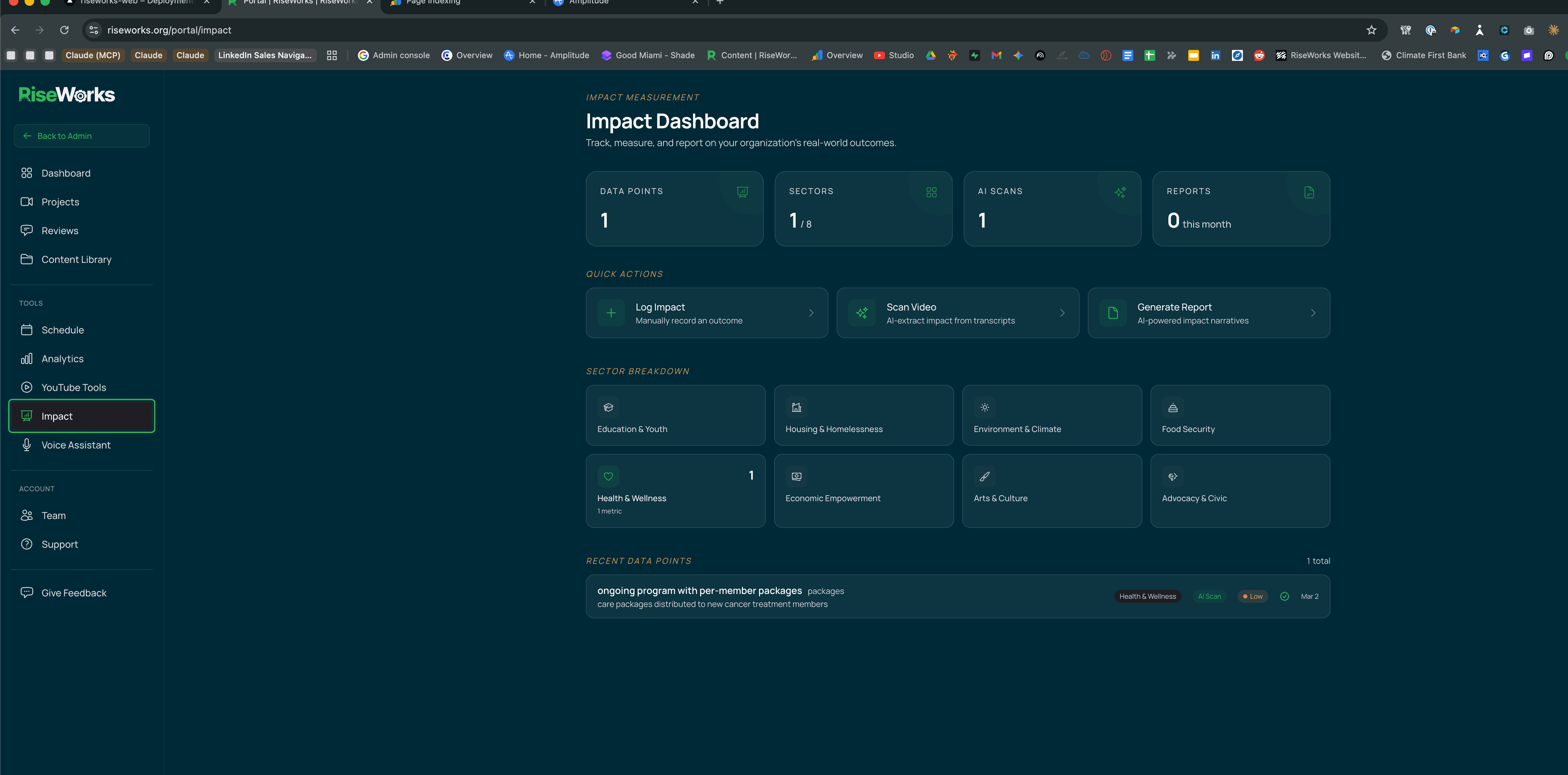
Your dashboard tracks community outcomes across eight impact sectors — from housing and education to food security and economic empowerment. Log data manually, import spreadsheets, upload PDF impact reports, or connect your existing systems through our webhook API.
Our AI doesn’t just clean the data — it understands it. Upload a PDF report and the system extracts metrics automatically, matching them against your existing data by meaning, not just name. “Meals Distributed” and “Food Packages Delivered” get recognized as related measures. When it’s time to report, the system generates board-ready impact summaries from your real numbers.
How it works
Multi-channel data ingestion: manual entry, CSV import with AI normalization, PDF extraction with semantic matching, and webhook API. Board-ready report generation for funders and grantors.
See Where You Stand Against Every Nonprofit in Your Metro
Your dashboard connects to the same data engine that powers our public YouTube Benchmark — live rankings of 218+ nonprofit channels per metro, updated weekly. But as a subscriber, you see your own channel plotted against the field: subscriber growth, views per video, engagement rate, and upload consistency, all compared to your local peers and national medians.
This isn’t vanity metrics. The benchmark data shows that most nonprofit channels underperform on discoverable basics — the typical nonprofit in a given metro uploads once every 90 days and gets a fraction of the views that consistent publishers see. Knowing where you sit in that distribution tells you exactly what to fix first, and whether the content we’re producing together is closing the gap.
How it works
Benchmarks tracked: subscribers, views per video, engagement rate, upload frequency, content format mix, and Spanish-language reach. Available metros: Miami, NYC, DC, LA, Chicago, Atlanta, Boston, Houston, SF, Denver, and Detroit.
Turn Every Project Into Intelligence for the Next One
Most production relationships are transactional — you give feedback, get a revision, ship it, move on. At RiseWorks, every project feeds a continuous learning system that connects your editorial decisions to real audience outcomes.
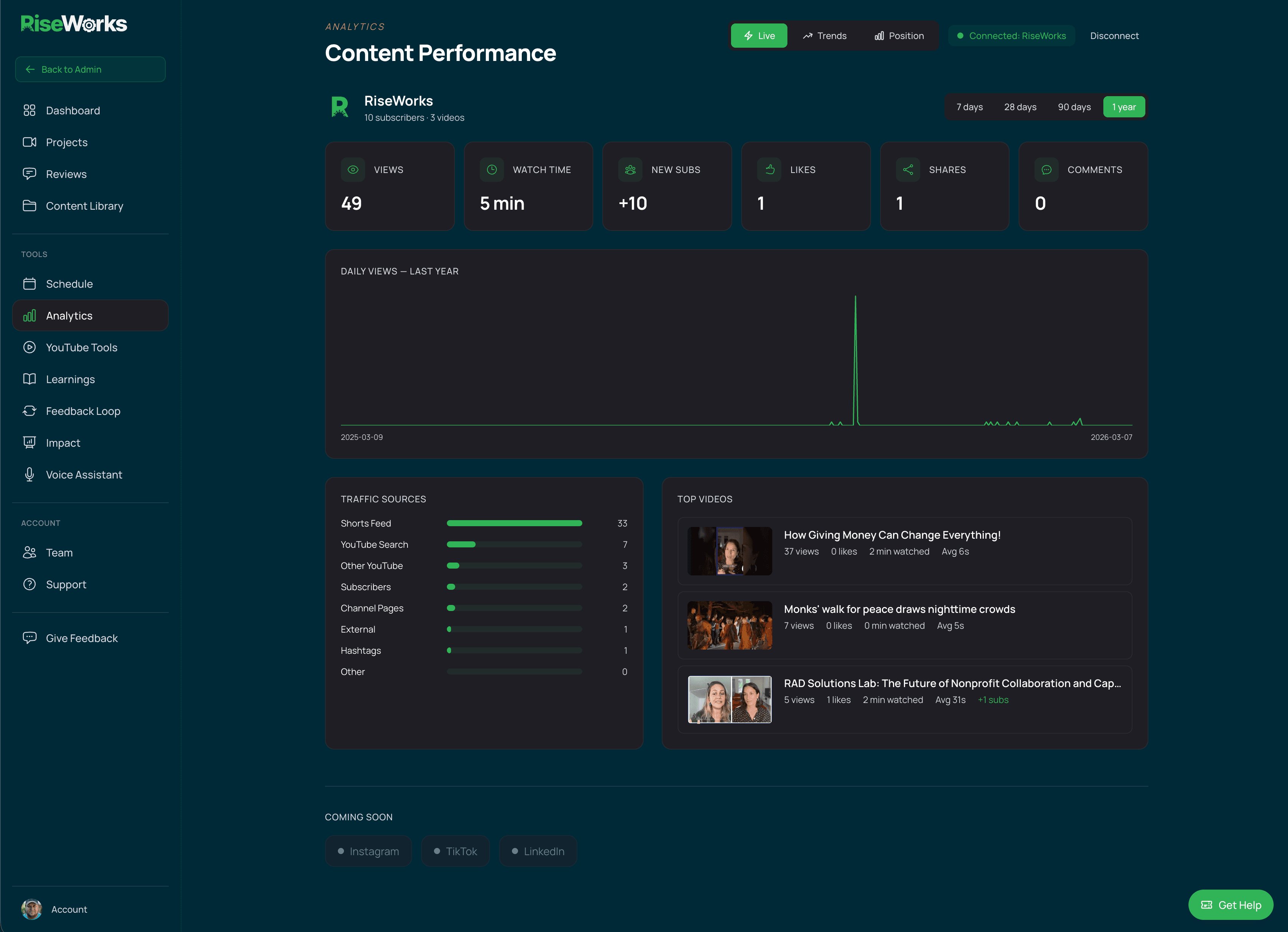
Here’s how: once a video goes live, the system automatically captures YouTube performance at day 1, 7, 28, and 90 — views, click-through rate, watch time, engagement. That data gets tied back to the specific feedback and editorial choices made during review. Over time, patterns emerge: which kinds of hooks hold attention, which pacing decisions drive higher completion rates, which CTAs actually convert.
Your team gets a weekly AI-generated learning digest surfacing these patterns — not generic YouTube advice, but insights drawn from your own content and your own audience. Monthly digests go deeper with strategic recommendations and trend analysis.
And before your next video ships, the system runs a readiness assessment — a preflight check scored against everything it’s learned from your previous content. Think of it as an editorial quality gate informed by your actual performance history, not a checklist pulled from a blog post.
How it works
Automated performance capture at 4 milestones (day 1, 7, 28, 90). Weekly and monthly AI learning digests. Preflight readiness scoring before every publish — with pass/warning/fail items and performance predictions based on your content history.
Coming Soon
The Closed Loop
The More You Create, The Better It Gets
This is what a closed loop looks like: you book a session, we produce the content, you review it with timecoded feedback, we revise, our AI packages it for YouTube discovery, the system tracks performance and uses semantic intelligence to connect your assets, metrics, and insights across every project, correlates results with your editorial decisions, and feeds those learnings back into the next production cycle.
Every video you make with RiseWorks teaches the system something. Every review comment, every performance milestone, every benchmark comparison sharpens the intelligence behind your next project. That's not a pitch — it's the architecture.
No other production company, agency, or freelancer offers this. Most can't, because they'd have to build the system first.